
How to Use HelpLook with CoSupport AI: Setup & Workflow
How to Use HelpLook with CoSupport AI
Customer support teams often face a familiar problem: the same questions arrive every day, the help center has the answers, but agents still spend hours copying and pasting responses. HelpLook and CoSupport AI solve this together. HelpLook builds and hosts your knowledge base, while CoSupport AI learns from that content and your past tickets to resolve repetitive requests automatically and draft replies for the rest.
This guide explains how the two products complement each other, walks through a practical setup, and shows what the combined workflow looks like in day-to-day support.
Why combine HelpLook and CoSupport AI?
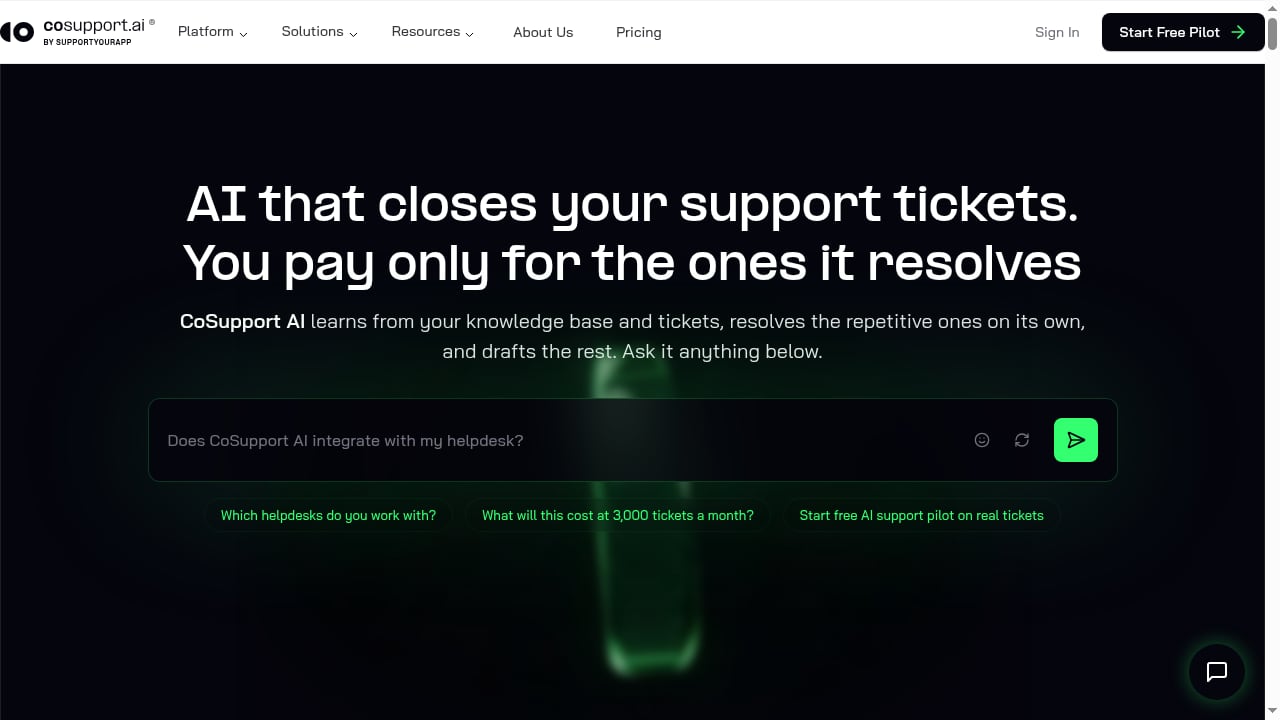
First viewport screenshot of AI Customer Service Platform | Automate Support with CoSupport.
HelpLook is a no-code platform for creating AI-powered knowledge bases, help centers, internal wikis, and product manuals. It includes an AI chatbot powered by models such as GPT-3.5/4.0 and Wenxin Yiyan, customizable portals, embeddable widgets, SEO settings, analytics, and access control. In short, HelpLook is where your authoritative answers live.
CoSupport AI is an AI customer support automation platform. It learns from your knowledge base and historical tickets, resolves repetitive tickets autonomously, and drafts replies for human agents. It integrates with helpdesks such as Zendesk, Freshdesk, and Zoho Desk, plus tools like Shopify, Stripe, Notion, and Confluence. Its multi-step reasoning checks and re-checks information before responding, and decision logs show why the AI made each choice.
The combination works because each product does what it does best:
- HelpLook creates a single, well-structured source of truth for product, policy, and troubleshooting content.
- CoSupport AI turns that source of truth into automated action inside your helpdesk, handling Tier 1 tickets and assisting agents on complex ones.
Without a clean knowledge base, AI support tools struggle to give accurate answers. Without an automation layer, even a great knowledge base leaves agents manually answering the same questions.
How the two products fit together
Think of the workflow in three layers:
- Content layer — HelpLook. Your team writes and maintains articles, FAQs, and product manuals. HelpLook's editor, categories, and multilingual support keep content organized.
- Intelligence layer — CoSupport AI. CoSupport AI ingests HelpLook content (and past tickets) to understand how your team answers questions. Its multi-step reasoning searches, analyzes, re-searches, and validates before responding.
- Action layer — your helpdesk. CoSupport AI works inside Zendesk, Freshdesk, Zoho Desk, or a standalone widget. It resolves what it can and escalates the rest with full context and a draft reply.
HelpLook's own AI chatbot can also answer visitors directly on your help center or website. Many teams use HelpLook's chatbot for self-service and CoSupport AI for ticket automation, so customers get help wherever they start.
Step-by-step setup
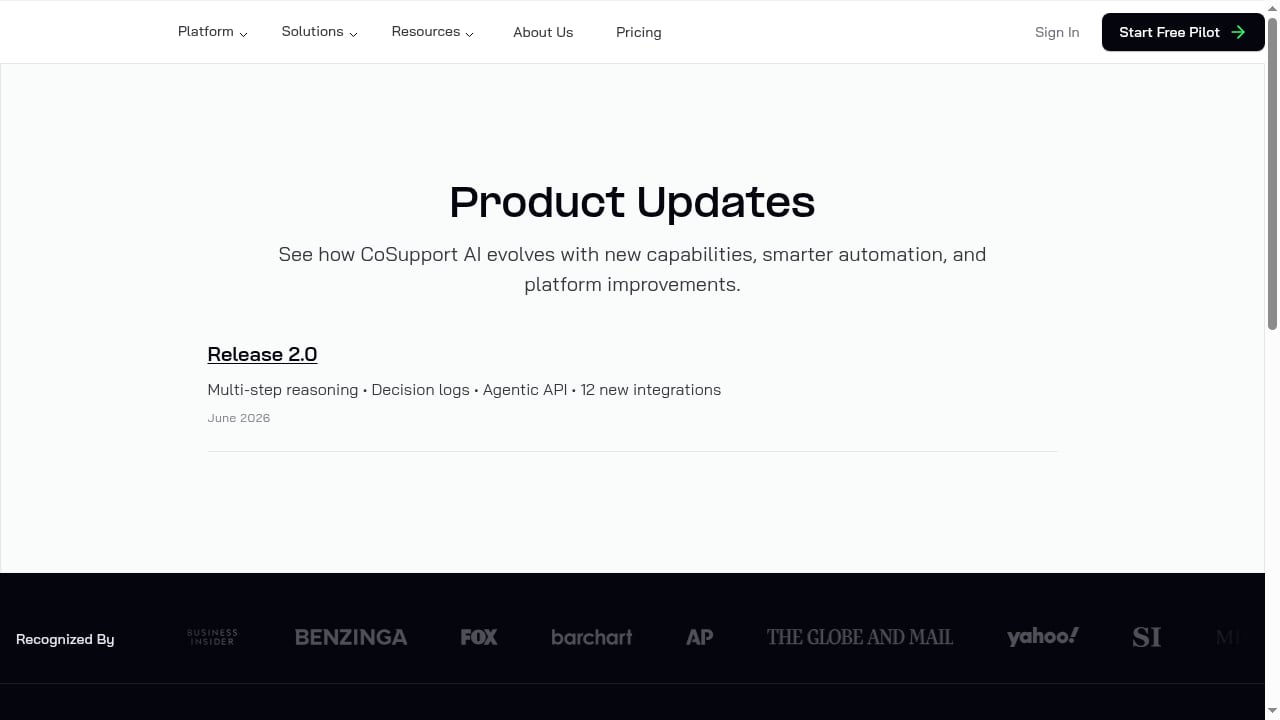
First viewport screenshot of CoSupport AI Product Updates.
Step 1: Build or clean up your HelpLook knowledge base
Start with the content CoSupport AI will rely on. In HelpLook:
- Create categories for major topics such as billing, account access, order status, subscriptions, product how-tos, and troubleshooting.
- Write clear articles with descriptive titles and short paragraphs. Avoid internal jargon that customers won't search for.
- Use HelpLook's AI features to generate article summaries, SEO keywords, and descriptions where helpful.
- Turn on AI search in Site settings → AI if you want visitors to get instant answers on the help center itself.
- Check the Analyze → Q&A dashboard to see what visitors actually ask. High-frequency questions are prime candidates for new or improved articles.
A useful rule: if a question appears repeatedly in your ticket queue, it deserves a dedicated HelpLook article.
Step 2: Connect CoSupport AI to your knowledge sources
In CoSupport AI, connect the knowledge sources it should learn from. Depending on your setup, this can include your HelpLook help center, Notion, Confluence, Google Drive, or uploaded documents. CoSupport AI also learns from past tickets, which helps it understand how your team phrases resolutions and handles edge cases.
During this step, confirm that the content CoSupport AI retrieves matches your latest policies. Outdated articles are the most common cause of inaccurate AI answers.
Step 3: Connect your helpdesk
Link CoSupport AI to the helpdesk your team already uses — Zendesk, Freshdesk, Zoho Desk, or another supported platform. CoSupport AI's documentation describes a no-code connection that takes about 10 minutes. If you don't run a helpdesk, CoSupport AI can operate as a standalone widget on your site.
Step 4: Configure escalation and tone
Decide which ticket types the AI should resolve end to end and which should always go to a person. Typical candidates for full automation include billing and refunds, account access, order status, subscription changes, product how-tos, and routine troubleshooting. Sensitive cases, legal questions, and high-value accounts may need human review.
Also set the tone and language behavior. CoSupport AI detects the customer's language and can respond in 60+ languages, which is useful if your HelpLook content is multilingual.
Step 5: Run a pilot on real tickets
CoSupport AI offers a free pilot on real tickets, with 1,000 AI responses included. Use this period to:
- Watch the AI resolution rate on live traffic.
- Review decision logs to see which sources the AI used and where it hesitated.
- Identify gaps in HelpLook content and fill them.
- Adjust escalation rules based on what the AI handles well.
Most teams reach a 60–70% AI resolution rate on their own tickets within the first 60 days, according to CoSupport AI. Clients report an average 74% resolution rate, with up to 85% on version 2.0.
Step 6: Review, refine, and scale
After the pilot, keep the feedback loop running. Use HelpLook analytics to spot emerging questions, update articles, and let CoSupport AI re-learn from the improved content. Review decision logs regularly to catch drift or ambiguous policies.
Practical examples
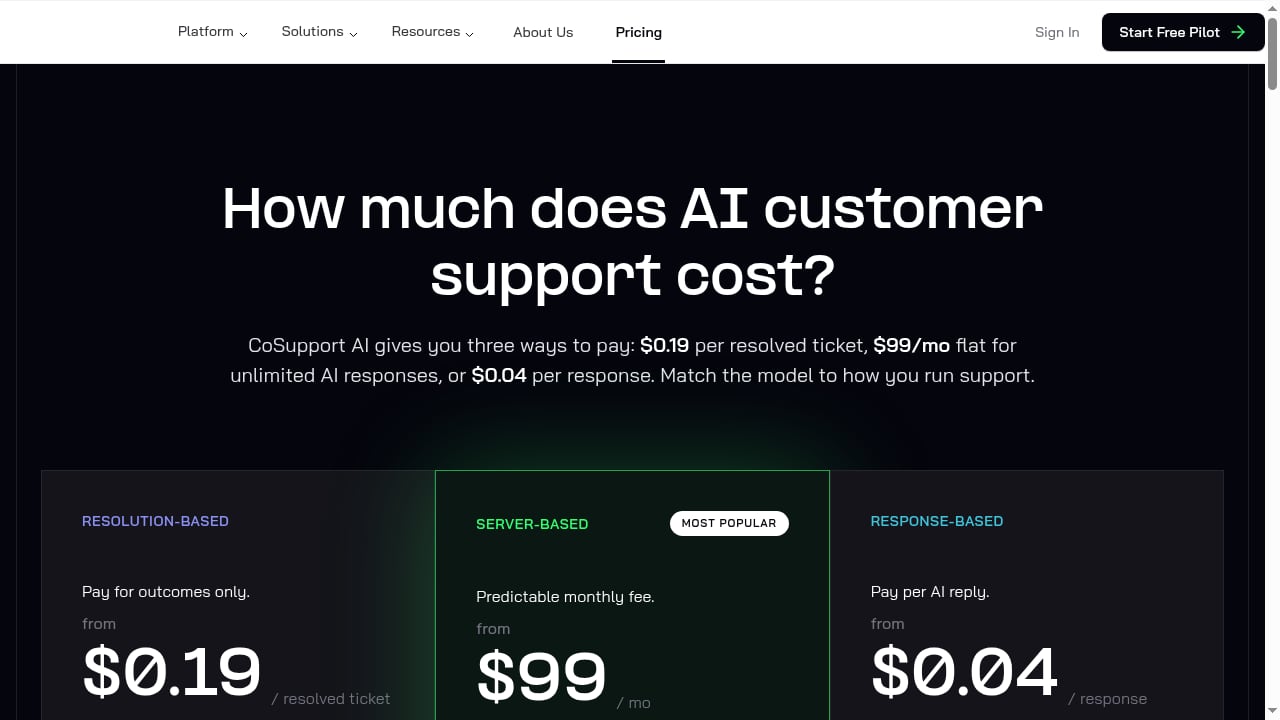
First viewport screenshot of Pricing for AI Customer Support - From $99/mo | CoSupport.
Example 1: SaaS subscription changes
A SaaS company receives frequent requests to upgrade, downgrade, or cancel plans. The team writes a HelpLook article explaining plan differences, proration, and cancellation steps. CoSupport AI learns the article and the agentic API executes the subscription change end to end, then confirms with the customer. Tickets that involve unusual contract terms escalate to a human with a draft reply.
Example 2: E-commerce order status
An online store gets a high volume of "where is my order" tickets. HelpLook hosts a shipping and delivery FAQ with tracking guidance. CoSupport AI connects to Shopify, looks up order status, and answers automatically. If a package is delayed beyond policy, the ticket goes to an agent with the order context attached.
Example 3: Internal IT support
An internal wiki built in HelpLook covers VPN setup, password resets, and software access. CoSupport AI uses that wiki to resolve routine internal requests, freeing the IT team for infrastructure work. One CoSupport AI customer reported 70% of internal support requests resolved by AI.
What problems does the combination solve?
- Repetitive ticket volume. CoSupport AI handles the high-volume Tier 1 questions that make up most support queues, while HelpLook keeps the answers accurate.
- Inconsistent answers. A single knowledge base means customers and AI both draw from the same approved content.
- Slow resolution times. CoSupport AI clients report resolution times as low as 6 minutes and significant cost savings, such as 9,300 per month at Remedico and 7,000 per month at an e-commerce marketplace.
- Agent burnout. Drafts and summaries reduce the manual work on complex tickets, so agents focus on judgment-heavy cases.
- Multilingual support. HelpLook's multilingual content and CoSupport AI's language detection let small teams serve global customers.
HelpLook vs. CoSupport AI: which do you need?
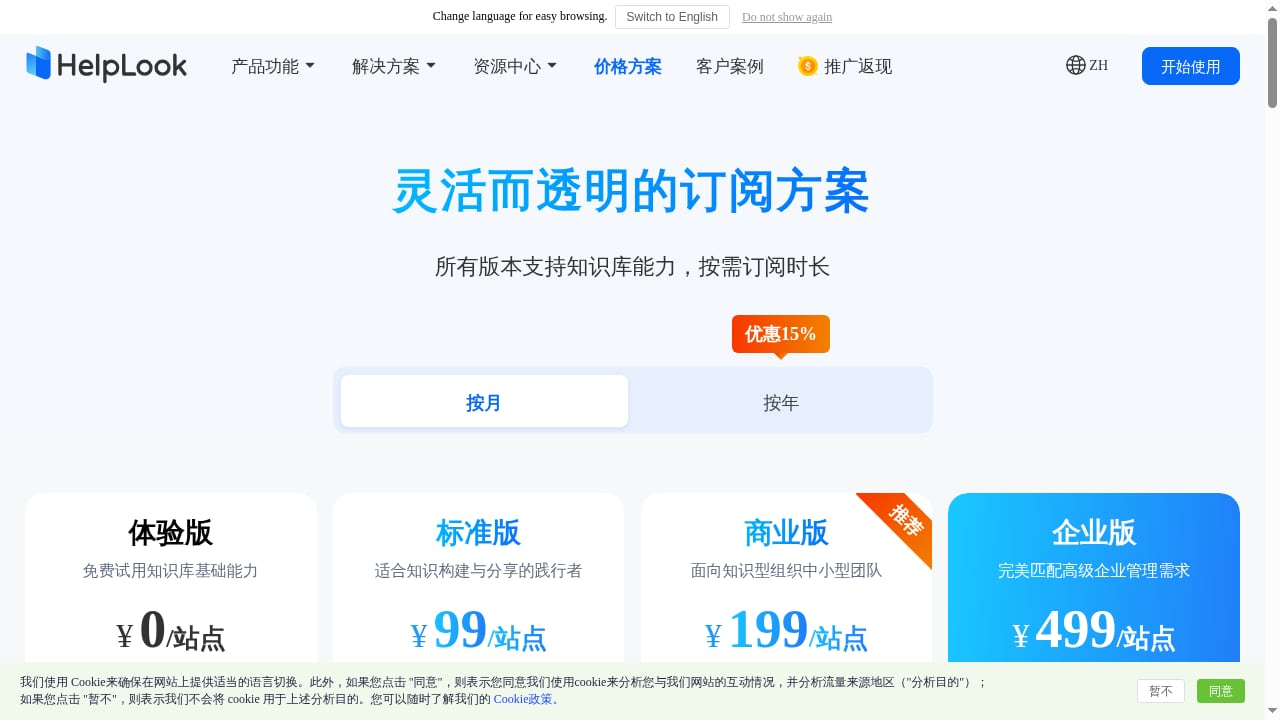
First viewport screenshot of www.helplook.net.
They are not competitors; they solve different layers of the same problem.
| Need | HelpLook | CoSupport AI |
|---|---|---|
| Build and host a help center or wiki | Yes | No |
| AI chatbot on your website | Yes | Yes, via widget |
| Autonomous ticket resolution in your helpdesk | No | Yes |
| Draft replies for human agents | Limited | Yes |
| Decision logs and multi-step reasoning | No | Yes |
| SEO, access control, PDF/HTML export | Yes | No |
If your main gap is content organization and self-service, start with HelpLook. If your helpdesk is drowning in repetitive tickets, CoSupport AI is the automation layer. Most teams benefit from both.
For teams also evaluating documentation infrastructure, see our comparison of HelpLook vs Read the Docs and this Outline review for team wikis.
Sources and further reading
- Automate Customer Service with CoSupport AI. - Learn how to build an AI support agent without coding using cosupport.ai. In this step-by-step tutorial, you'll see how to train your AI using PDFs, FAQs, we...
FAQ
Does CoSupport AI work directly with HelpLook?
CoSupport AI learns from knowledge sources and helpdesks. You can point it at your HelpLook-hosted help center content and connect your helpdesk for ticket automation. Check current integration options in CoSupport AI's documentation, as supported sources evolve.
Can I use HelpLook's AI chatbot and CoSupport AI at the same time?
Yes. Many teams use HelpLook's AI chatbot for self-service on the help center and website, and CoSupport AI for ticket resolution and agent assistance inside the helpdesk.
How long does setup take?
CoSupport AI describes a no-code helpdesk connection of about 10 minutes, followed by a pilot period of roughly 30 days on real tickets. HelpLook setup depends on how much content you need to write or migrate.
What does CoSupport AI cost?
CoSupport AI offers three pricing models: resolution-based at 0.19 per resolved ticket, server-based at 99 per month for unlimited AI responses, and response-based at $0.04 per AI-generated reply. A free pilot with 1,000 AI responses is available, and there are no setup fees.
Is my data secure?
HelpLook holds ISO/IEC 27001 certification for information security. CoSupport AI trains exclusively on a company's own data. Review both vendors' security documentation for your specific compliance requirements.
What if the AI gives a wrong answer?
Use decision logs to trace which source the AI used, then correct or clarify the HelpLook article. Add escalation rules for topics where accuracy is critical.
Conclusion
HelpLook and CoSupport AI address two halves of the same support problem: knowledge and action. HelpLook gives you a structured, AI-ready knowledge base; CoSupport AI turns that knowledge into automated resolutions and agent-ready drafts. Start by cleaning up your HelpLook content, connect CoSupport AI to your helpdesk, and run a pilot on real tickets. The results — faster resolution, lower costs, and happier agents — compound as your knowledge base improves.
For more background, see CoSupport AI's platform overview and HelpLook's guide to its AI features.
;}.cls-2{fill:%230868f7;}.cls-3{fill:url(%23未命名的渐变_44);}.cls-4{fill:%23333;}%3c/style%3e%3clinearGradient%20id='未命名的渐变_8'%20x1='33.73'%20y1='100.61'%20x2='-0.03'%20y2='-1.06'%20gradientUnits='userSpaceOnUse'%3e%3cstop%20offset='0'%20stop-color='%237ae9fb'/%3e%3cstop%20offset='0.67'%20stop-color='%232b90f8'/%3e%3cstop%20offset='1'%20stop-color='%230868f7'/%3e%3c/linearGradient%3e%3clinearGradient%20id='未命名的渐变_44'%20x1='27.86'%20y1='18.67'%20x2='68.36'%20y2='22.22'%20gradientUnits='userSpaceOnUse'%3e%3cstop%20offset='0'%20stop-color='%235ac7f2'/%3e%3cstop%20offset='1'%20stop-color='%230868f7'/%3e%3c/linearGradient%3e%3c/defs%3e%3cpath%20class='cls-1'%20d='M29,28.74V81.91l-9.51-3.68v0L8.52,74A7.17,7.17,0,0,1,4,67.32V24.54A3.76,3.76,0,0,1,9.08,21Z'/%3e%3cpath%20class='cls-2'%20d='M68.09,78.07a13.15,13.15,0,0,1-17.9,12.06L29,81.91h0V28.74L50.19,37A13.17,13.17,0,0,0,68.08,25.3h0Z'/%3e%3cpath%20class='cls-3'%20d='M68.08,25.3a13.19,13.19,0,0,1-6.73,10.87A13.09,13.09,0,0,1,50.19,37L29,28.74V6A3.76,3.76,0,0,1,34.1,2.52l25.59,9.91A13.22,13.22,0,0,1,68.08,25.3Z'/%3e%3cpath%20class='cls-4'%20d='M129.06,81.76a4.33,4.33,0,0,1-3.19-1.31,4.4,4.4,0,0,1-1.31-3.24V56.86H97.65V77.21a4.36,4.36,0,0,1-1.35,3.2A4.68,4.68,0,0,1,93,81.76a4.32,4.32,0,0,1-3.19-1.31,4.37,4.37,0,0,1-1.32-3.24V27.27A4.58,4.58,0,0,1,89.83,24a4.59,4.59,0,0,1,7.82,3.27V48.15h26.91V27.27A4.58,4.58,0,0,1,125.91,24a4.59,4.59,0,0,1,7.82,3.27V77.21a4.37,4.37,0,0,1-1.36,3.2A4.65,4.65,0,0,1,129.06,81.76Z'/%3e%3cpath%20class='cls-4'%20d='M163.77,81.66c-6.57,0-11.76-1.92-15.44-5.7s-5.54-9.07-5.54-15.74a26.76,26.76,0,0,1,2.09-10.43,17.72,17.72,0,0,1,6.67-8.06,19.15,19.15,0,0,1,10.68-2.95,19,19,0,0,1,10.46,2.8,18.7,18.7,0,0,1,6.55,7.36,22.53,22.53,0,0,1,2.36,10.28A4.51,4.51,0,0,1,177,63.77H152.23a10.8,10.8,0,0,0,3.49,6.65c2,1.68,4.88,2.52,8.66,2.52a22.25,22.25,0,0,0,7.54-1.21c.74-.3,1.55-.67,2.37-1.07a3.75,3.75,0,0,1,1.84-.4,4.09,4.09,0,0,1,3,1.15,4,4,0,0,1,1.12,3,4.38,4.38,0,0,1-2.58,3.82,32.34,32.34,0,0,1-6.36,2.61A28.67,28.67,0,0,1,163.77,81.66ZM172.4,55.9a9.72,9.72,0,0,0-1.63-4.56A9.9,9.9,0,0,0,167,48a10.38,10.38,0,0,0-4.64-1.14,12,12,0,0,0-4.77,1.06,9.54,9.54,0,0,0-4.89,5.66,11.78,11.78,0,0,0-.51,2.3Z'/%3e%3cpath%20class='cls-4'%20d='M193,81.64a4.49,4.49,0,0,1-4.51-4.55V27.28A4.58,4.58,0,0,1,189.84,24a4.48,4.48,0,0,1,3.28-1.36A4.36,4.36,0,0,1,196.35,24a4.46,4.46,0,0,1,1.31,3.31V77.09a4.34,4.34,0,0,1-1.35,3.2A4.67,4.67,0,0,1,193,81.64Z'/%3e%3cpath%20class='cls-4'%20d='M263.79,81.71a5.7,5.7,0,0,1-4.2-1.74,5.76,5.76,0,0,1-1.73-4.19V27.37a4.58,4.58,0,0,1,1.35-3.27A4.59,4.59,0,0,1,267,27.37V72.53h24a4.58,4.58,0,0,1,3.27,7.82A4.66,4.66,0,0,1,291,81.71Z'/%3e%3cpath%20class='cls-4'%20d='M424.48,81.74a4.71,4.71,0,0,1-2.71-.88,5.43,5.43,0,0,1-1-1l-.07-.09-12.41-17-5.41,5v9.44a4.31,4.31,0,0,1-1.36,3.19,4.66,4.66,0,0,1-3.3,1.36A4.29,4.29,0,0,1,395,80.42a4.36,4.36,0,0,1-1.32-3.23V27.37A4.58,4.58,0,0,1,395,24.1a4.52,4.52,0,0,1,6.58.12,4.54,4.54,0,0,1,1.24,3.15V56.31l17.72-16.38.05,0a4.8,4.8,0,0,1,2.94-1.11,4.4,4.4,0,0,1,3.27,1.2,4.57,4.57,0,0,1,1.2,3.27,4.44,4.44,0,0,1-.77,2.33,7.45,7.45,0,0,1-1.43,1.65l-11,9.64,13.34,17.68a5,5,0,0,1,1,2.71,4.12,4.12,0,0,1-1.36,3.24A4.64,4.64,0,0,1,424.48,81.74Z'/%3e%3cpath%20class='cls-4'%20d='M317.93,81.76a21.5,21.5,0,1,1,21.17-21.5A21.37,21.37,0,0,1,317.93,81.76Zm0-34.1a12.61,12.61,0,1,0,12.42,12.6A12.52,12.52,0,0,0,317.93,47.66Z'/%3e%3cpath%20class='cls-4'%20d='M212.18,101.22a4.12,4.12,0,0,1-3.05-1.26,4.17,4.17,0,0,1-1.26-3.1V43.34a4.37,4.37,0,0,1,1.3-3.14,4.26,4.26,0,0,1,3.13-1.3,4.19,4.19,0,0,1,3.1,1.26,4.32,4.32,0,0,1,1.26,3.16,20.77,20.77,0,0,1,13-4.54,21.51,21.51,0,0,1,0,43,20.51,20.51,0,0,1-13-4.57V96.86a4.15,4.15,0,0,1-1.3,3.06A4.5,4.5,0,0,1,212.18,101.22Zm17.43-53.63c-6.23,0-12.93,4.11-12.93,12.72a12.73,12.73,0,0,0,25.46,0A12.71,12.71,0,0,0,229.61,47.59Z'/%3e%3cpath%20class='cls-4'%20d='M365.76,81.76a21.5,21.5,0,1,1,21.18-21.5A21.37,21.37,0,0,1,365.76,81.76Zm0-34.1a12.61,12.61,0,1,0,12.42,12.6A12.52,12.52,0,0,0,365.76,47.66Z'/%3e%3c/svg%3e)